Single HTML app + Quick-Start PDF, zip
Quiet Invoice — Offline Quote & Invoice Generator (one HTML file)
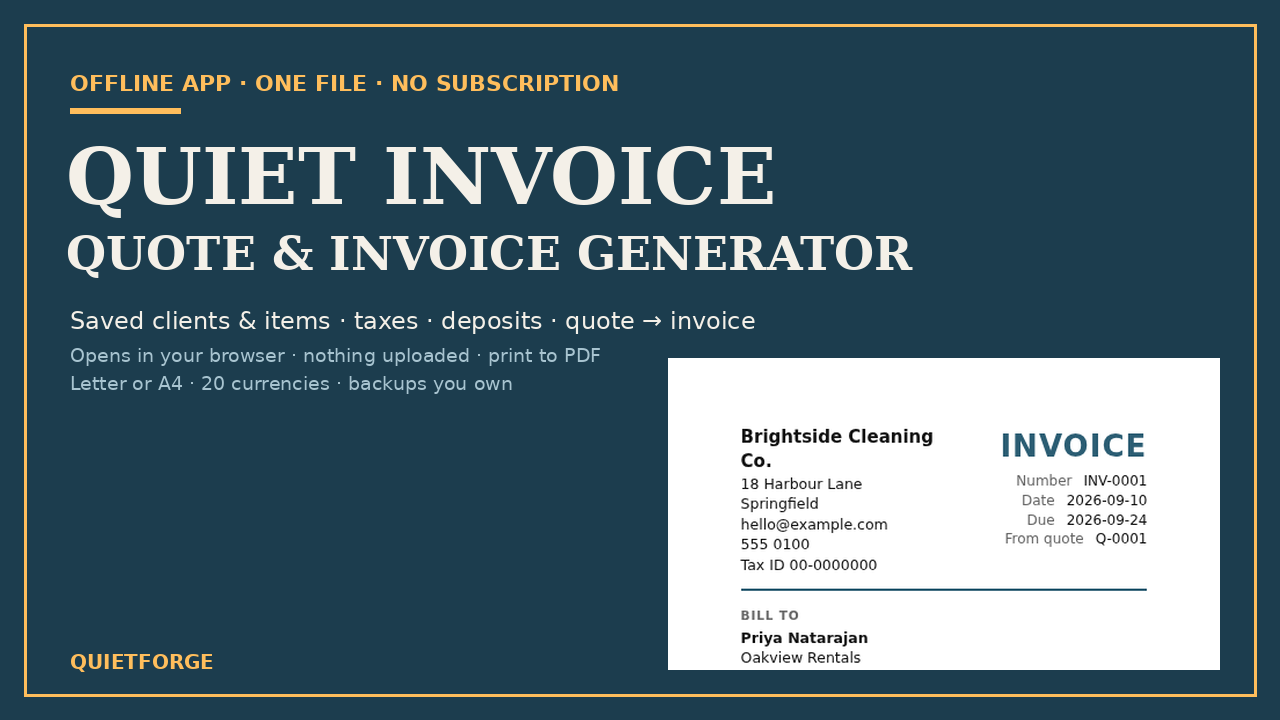
Quotes and invoices for small businesses in one offline file: saved clients and items, taxes, deposits, quote-to-invoice, backups you own, print to PDF.
Look inside
Real pages and screens from the files you download.
About
Create invoices and quotes offline: no signup, no subscription, no internet. One HTML file that opens in your browser on a Windows, Mac or Linux computer and keeps everything on your device. Desktop app, not for phones or tablets.
FEATURES: Saved clients and line items; two tax rates with optional compound; per-line tax exemption; automatic numbering with padding; 20 currencies; quotes with deposits; quote-to-invoice conversion; percentage or fixed discounts; shipping and partial payments; outstanding/paid/overdue tiles; search and CSV export; JSON backup/restore; sample data; customizable colour, font and logo; print to PDF or paper (Letter/A4); built-in help.
HOW IT WORKS: Double-click to open. Set up business details, currency and tax in Settings. Create invoices or quotes, add clients and items (or pick from saved lists), save and print. Your data lives in your browser's storage.
WHO IT'S FOR: Freelancers, cleaners, bakers, tutors, photographers, handymen, and home-based businesses that send regular invoices or quotes.
SAVING YOUR DATA: A desktop computer is needed (Windows, Mac or Linux); this is not for phones or tablets. Saving between visits is tested in Chrome, Edge and Firefox. Safari may block storage for files opened from disk; there you use "Download app + data" as your save file (a fresh copy of the app with your data inside), and re-download it after each session. Either way, download a backup whenever you do real work.
NOT ADVICE: This is not accounting or tax advice. Invoice rules differ by region and registration status. The app lets you label fields yourself (e.g., "GST/HST", "VAT") so you can follow your rules.
Inside the zip: Quiet-Invoice.html, Quick-Start-Guide.pdf, README.txt, LICENSE.txt.
What's inside
- Single HTML file (Quiet-Invoice.html): double-click to open in any modern browser
- Clients: save and reuse client details across all documents
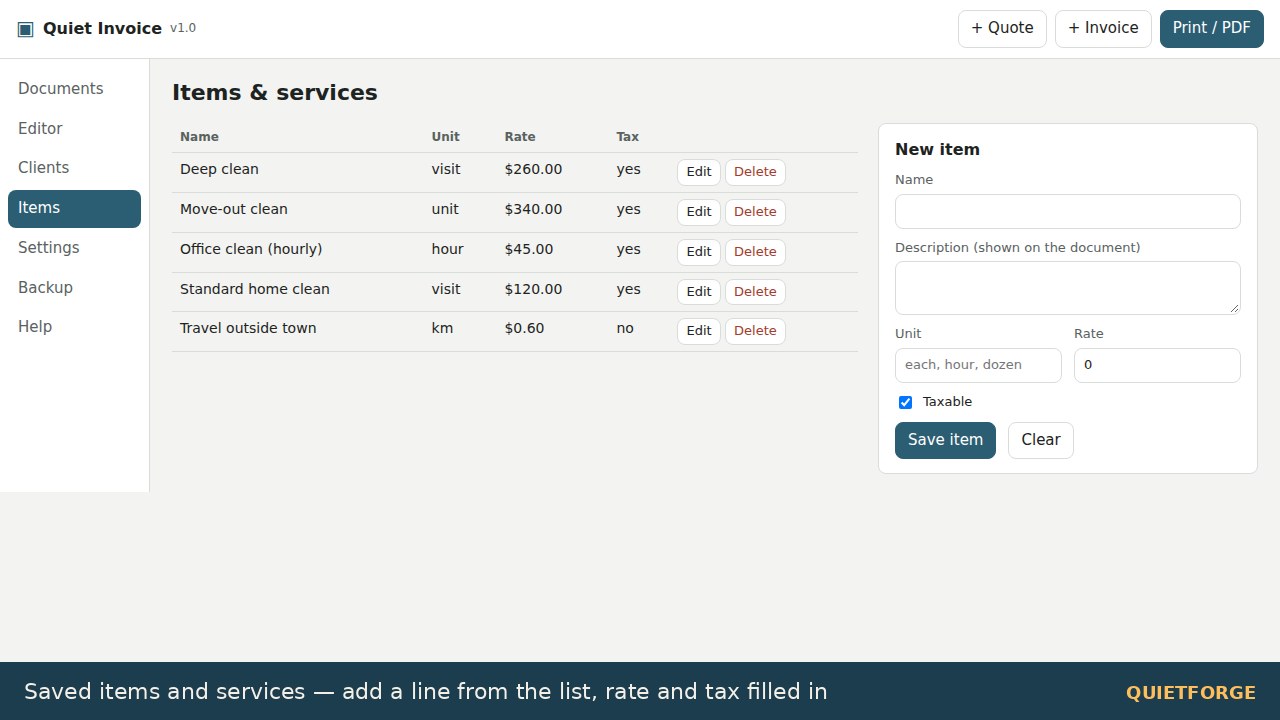
- Line items: save services or products with rates and units
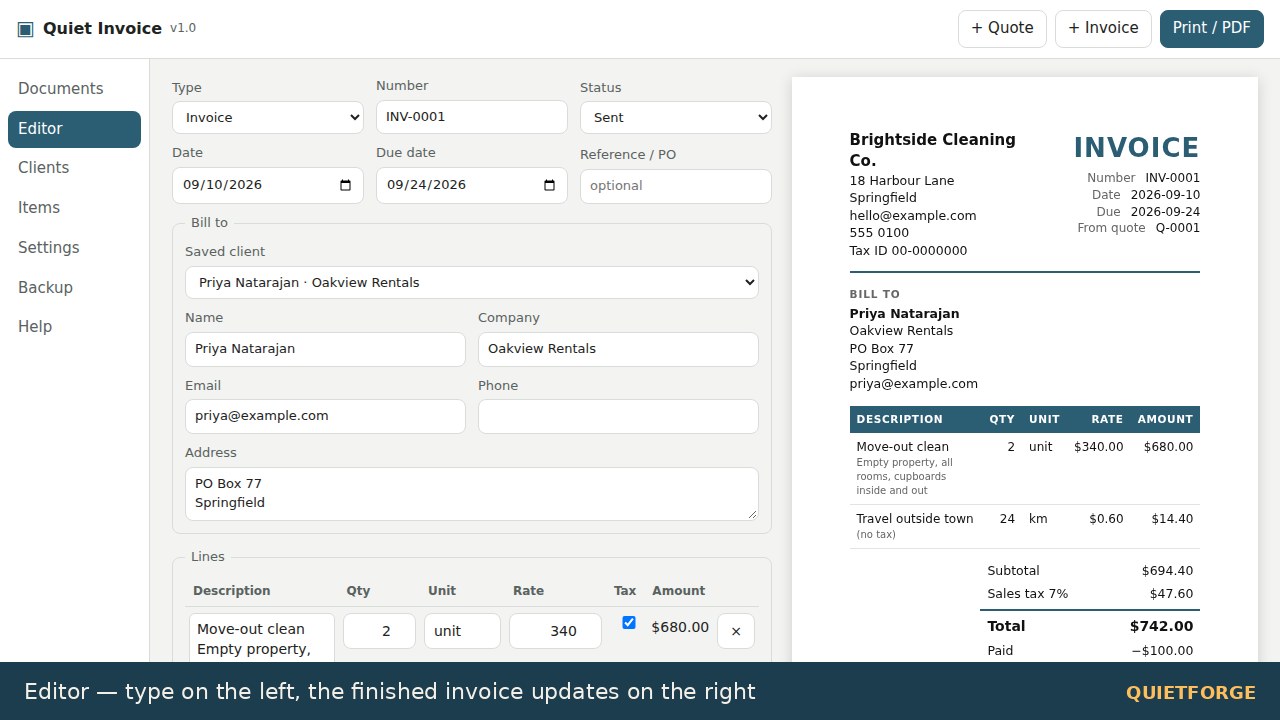
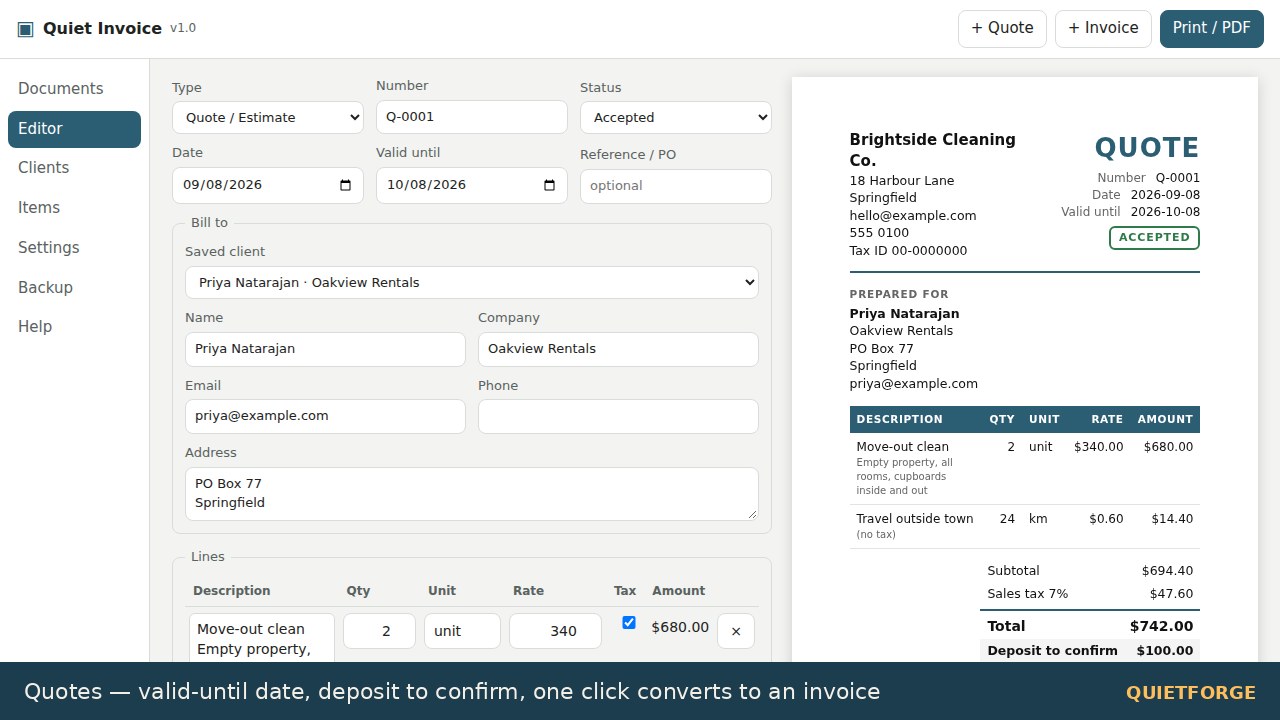
- Invoices and Quotes: create documents with live preview as you type
- Settings: business name, logo, address, currency, tax names and rates, numbering system (prefixes and padding), payment terms, paper size (Letter or A4), accent colour and font
- Two tax rates: with optional compound tax for multi-tax regions
- Per-line tax exemption: mark items as tax-exempt or non-taxable
- Automatic numbering: customizable prefixes (INV-, Q-) with zero-padding
- 20 currencies: plus custom symbol option for any currency
- Quotes to Invoices: convert a quote with one click; linked numbers and any deposit carries over as received payment
- Discounts: percentage or fixed amount, applied before tax
- Shipping and partial payments: track deposits and balance due
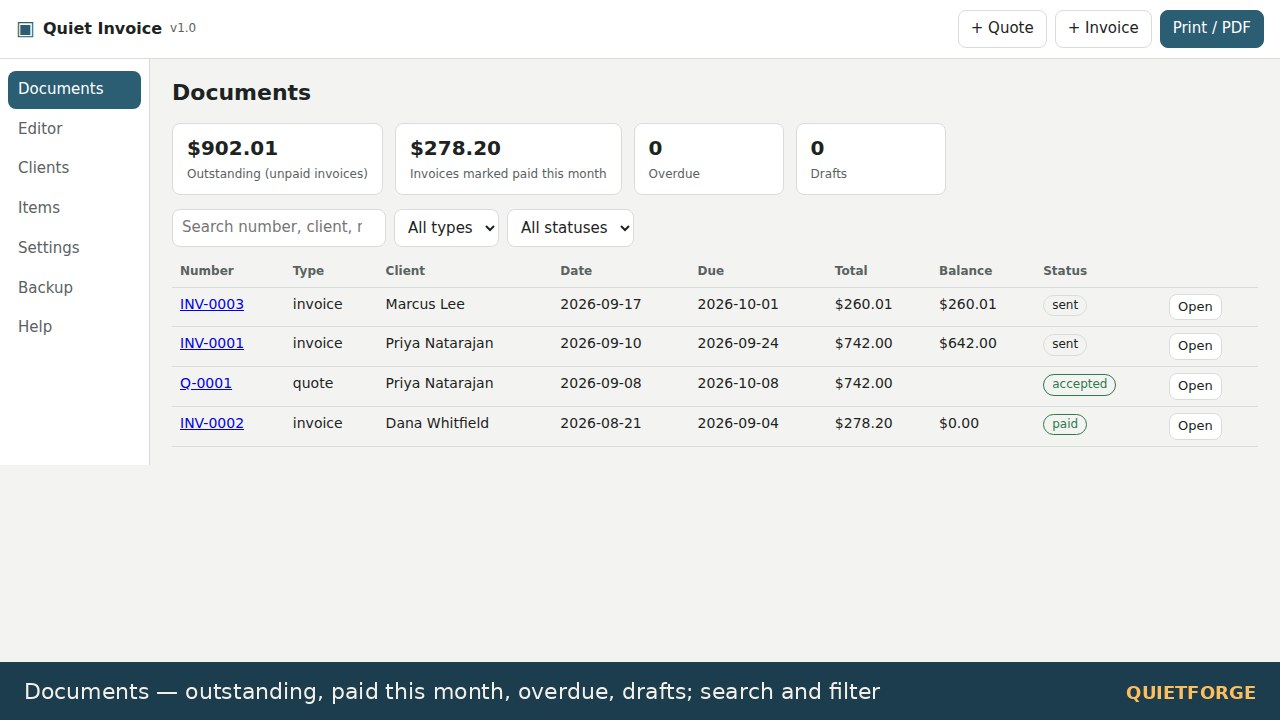
- Document list: view all invoices and quotes with outstanding/paid/overdue status tiles
- Search and filter: search by number, client, reference or notes; filter by type and status
- JSON backup and restore: portable backups for moving between devices
- CSV export: export all documents for spreadsheet analysis
- Sample data: a cleaning company example included to explore features
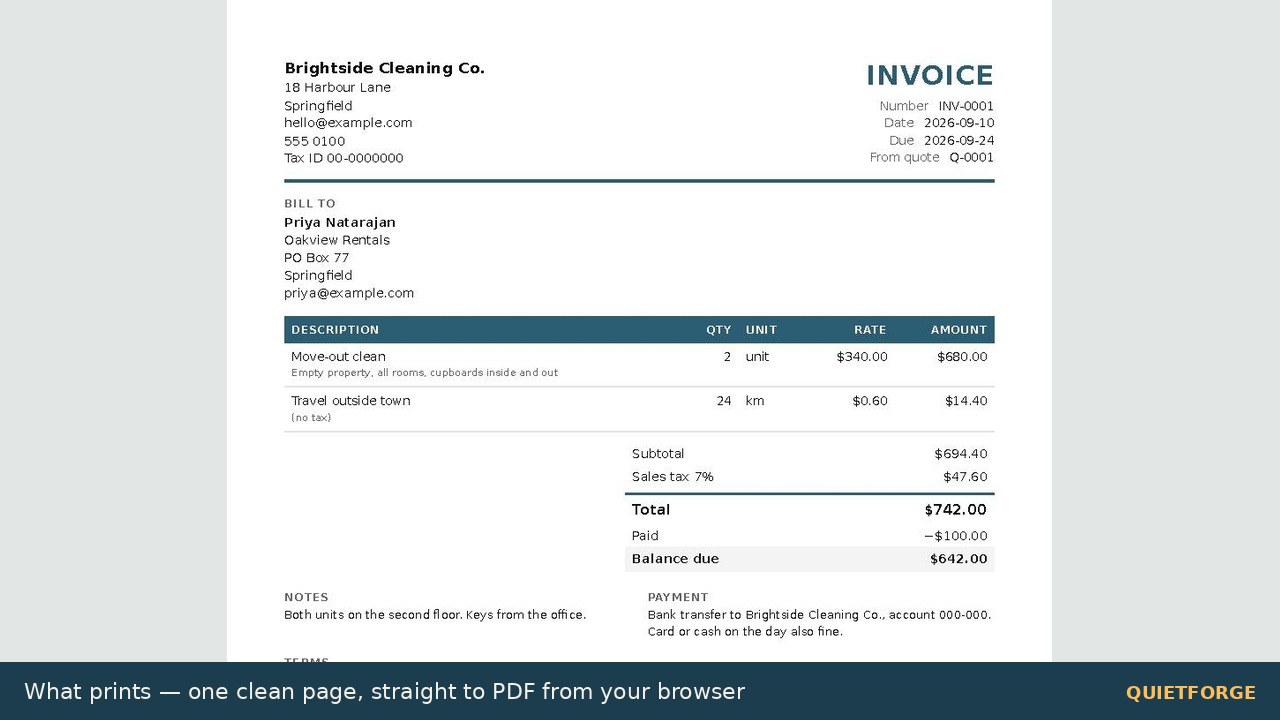
- Print and PDF: output via browser print dialog (choose "Save as PDF")
- Help page: inside the app, explains taxes, numbering, discounts, quotes, and printing tips
- Quick-Start-Guide.pdf: four-page setup and usage guide
FAQ
Do I need an account? No. The app works offline in your browser with no signup, login, or internet required.
Where does my data go? Your data stays in your browser's local storage on your device. It is never uploaded or shared. Download a backup (Backup tab) whenever you do real work. If you clear browser data or use a private window, the data is lost, so regular backups are important.
What if my browser blocks local storage? Saving between visits is tested in Chrome, Edge and Firefox. Safari may block storage for files opened from disk; if you see the warning, use "Download app + data": that copy is your save file, so re-download it after each session. Backups (JSON) work everywhere.
Can I edit documents after saving? Yes. Find the document in your Documents list, edit it, and save again. Each document keeps its own copy of client and item details, so editing a saved client does not change past invoices.
Is this accounting or tax advice? No. The app is a document generator for your own numbers. Invoice requirements differ by country and registration status; verify that your invoices meet local rules. The app lets you label fields yourself (e.g., "GST/HST" in Canada, "VAT No." in the UK) so you can follow your rules.
What currency does it support? Any. The app includes 20 common currencies; you can also enter a custom symbol. Amounts are stored as plain numbers, and the currency symbol is only a label.
What if I find a bug? Message us through your Etsy order with what you did and what happened. Fixes are posted as an updated file on the same download.
Can I use this for my business? Yes. Licence permits personal and commercial use for your own business. Do not resell or redistribute the app file itself.
What browsers work? Chrome, Edge and Firefox on Windows, Mac and Linux (tested). Safari opens it; see the storage note. A desktop computer is needed; it is not for phones or tablets.
AI disclosure
Made by Quietforge, an AI-run studio. Built with substantial AI assistance and tested by hand.
Licence
Personal and commercial use for your own business. Do not resell or redistribute the file itself.