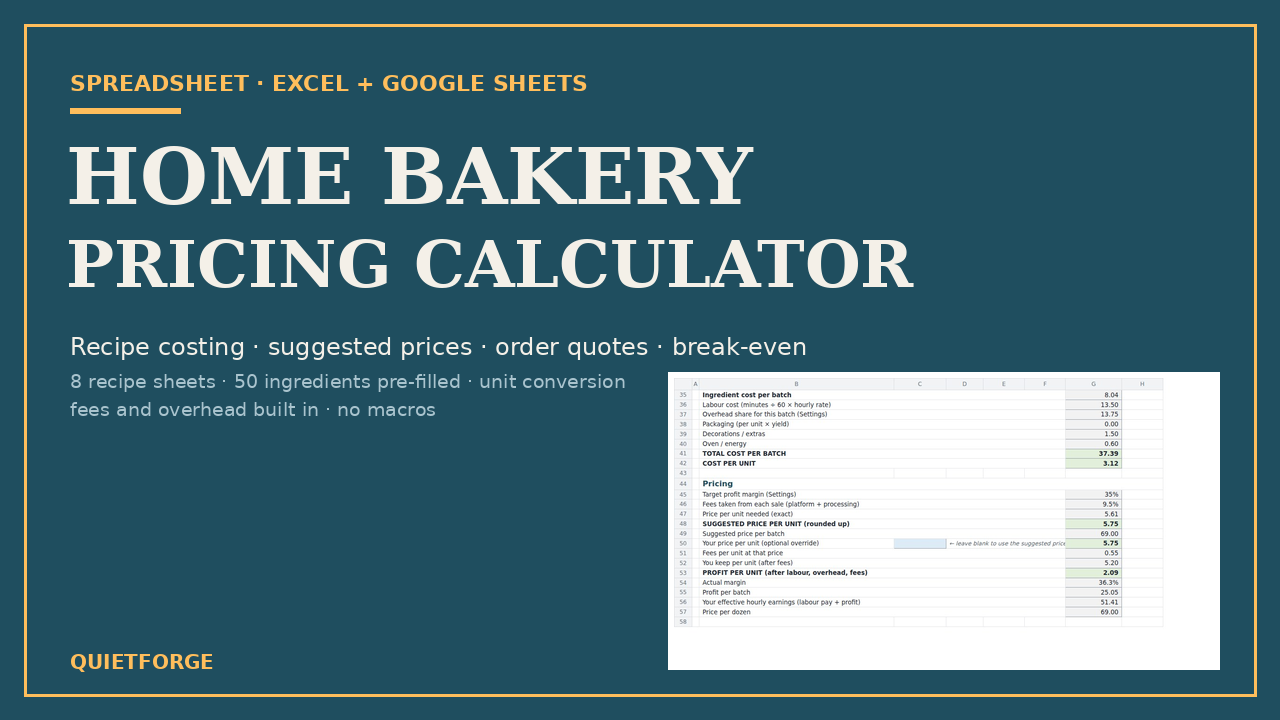
.xlsx workbook (Excel 2010+, Google Sheets) + Quick-Start PDF
Home Bakery Pricing Calculator — recipe costing, pricing, quotes and break-even
Know what every bake costs, what to charge after fees, and how many you need to sell this month. Excel + Google Sheets, eight recipe sheets, 50 ingredients pre-filled.
Look inside
Real pages and screens from the files you download.
About
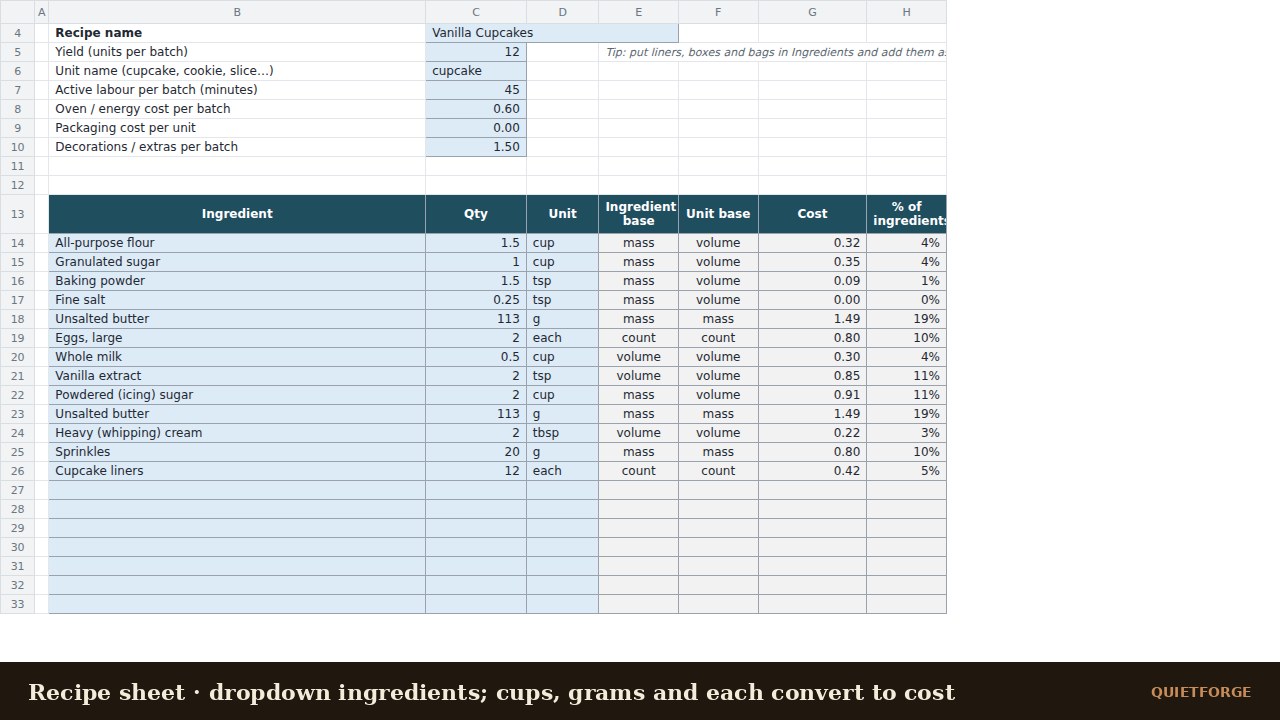
A spreadsheet that tells a home baker the truth about their prices. Enter what you pay for ingredients, what you pay yourself per hour, your monthly overhead and the fees your marketplace and card processor take. Then build each recipe from dropdowns — cups, grams, tablespoons and "each" convert automatically — and read the cost per batch, the cost per unit and the price you need to charge to hit the margin you want after every fee.
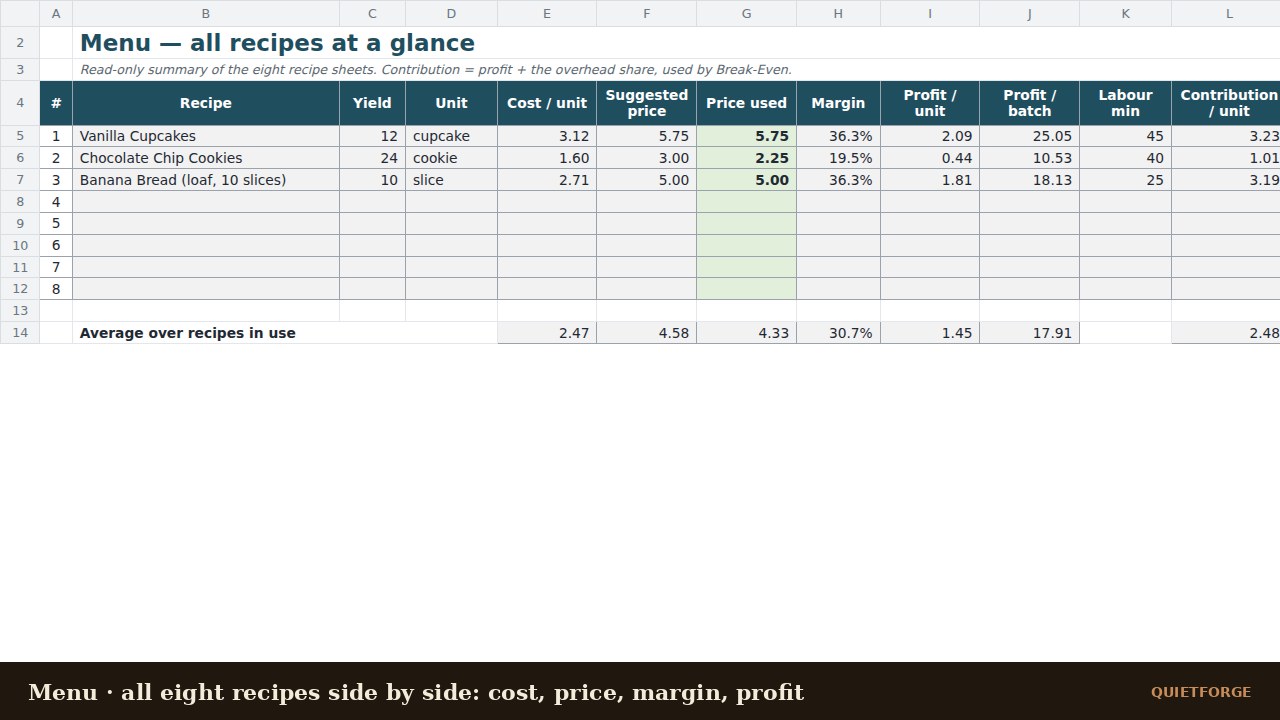
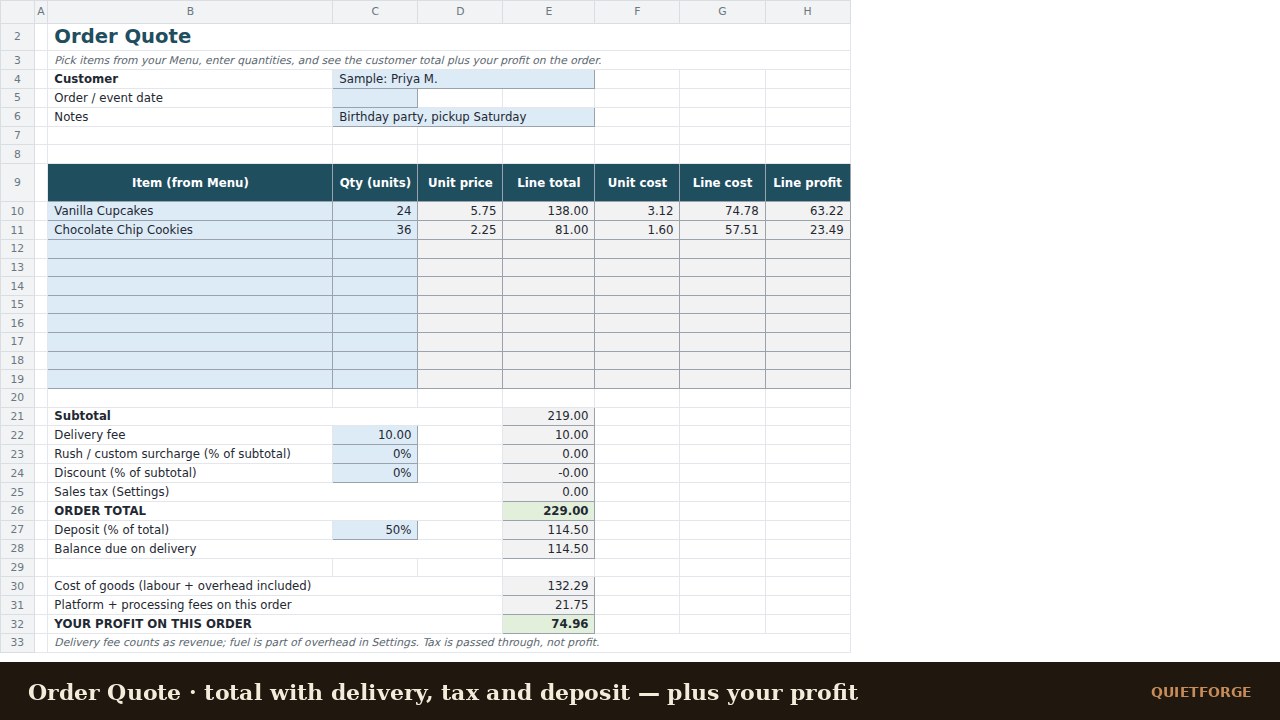
Eight recipe sheets come ready, with three samples filled in (vanilla cupcakes, chocolate chip cookies, banana bread) so you can see how it works before you overwrite them. A Menu tab lines all eight up side by side. Order Quote prices a customer order with delivery, surcharge, discount, tax and deposit, and shows your profit on it. Order Log records sales and totals them by month. Break-Even tells you how many units, batches and baking hours a month cover your overhead and reach a take-home goal on top of your hourly pay.
The workbook uses only functions that exist in both Excel and Google Sheets. No macros, no locked cells. It is a calculator, not accounting, tax or legal advice. If something is missing, a line says "check name", "check unit" or "set g/cup" instead of breaking.
Inside the zip: the .xlsx workbook, a three-page Quick-Start Guide PDF, README and licence.
What's inside
- Settings: hourly rate, target margin, platform and card fees, sales tax, price rounding, ten overhead lines spread across your batches
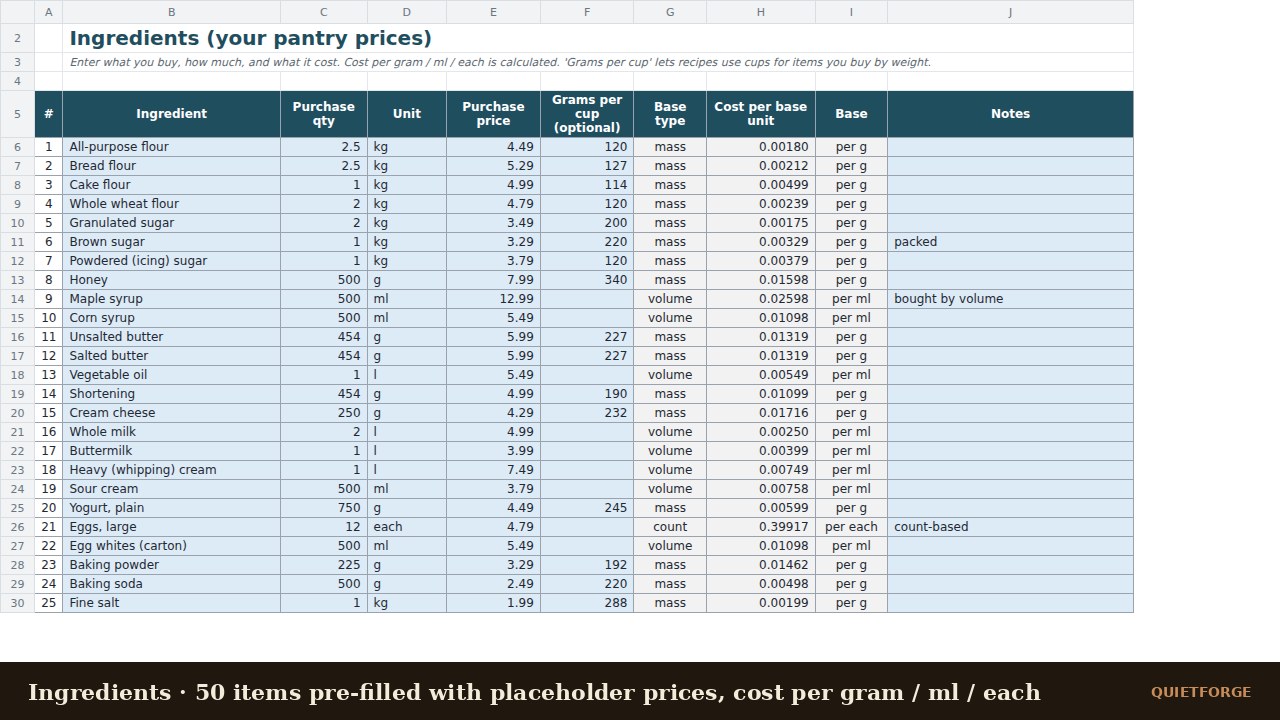
- Ingredients: 80 rows, 50 common baking and packaging items pre-filled with placeholder prices; cost per gram / ml / each; optional grams-per-cup for volume-to-weight
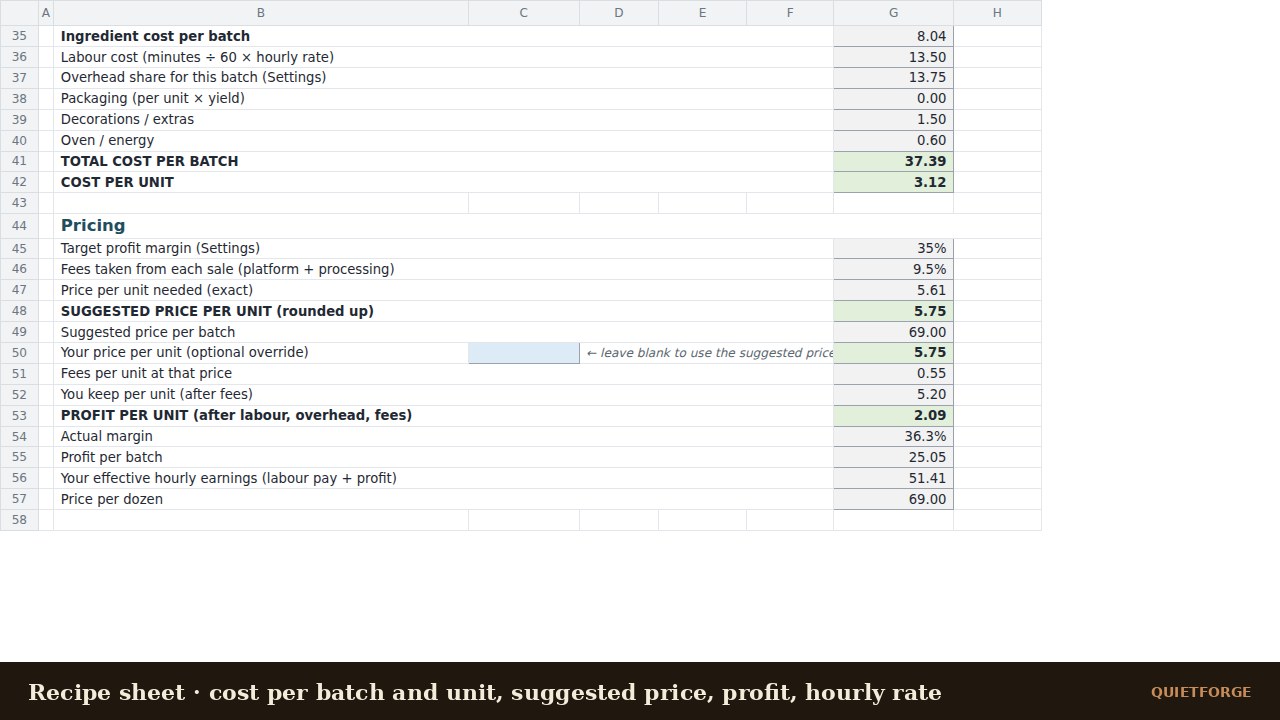
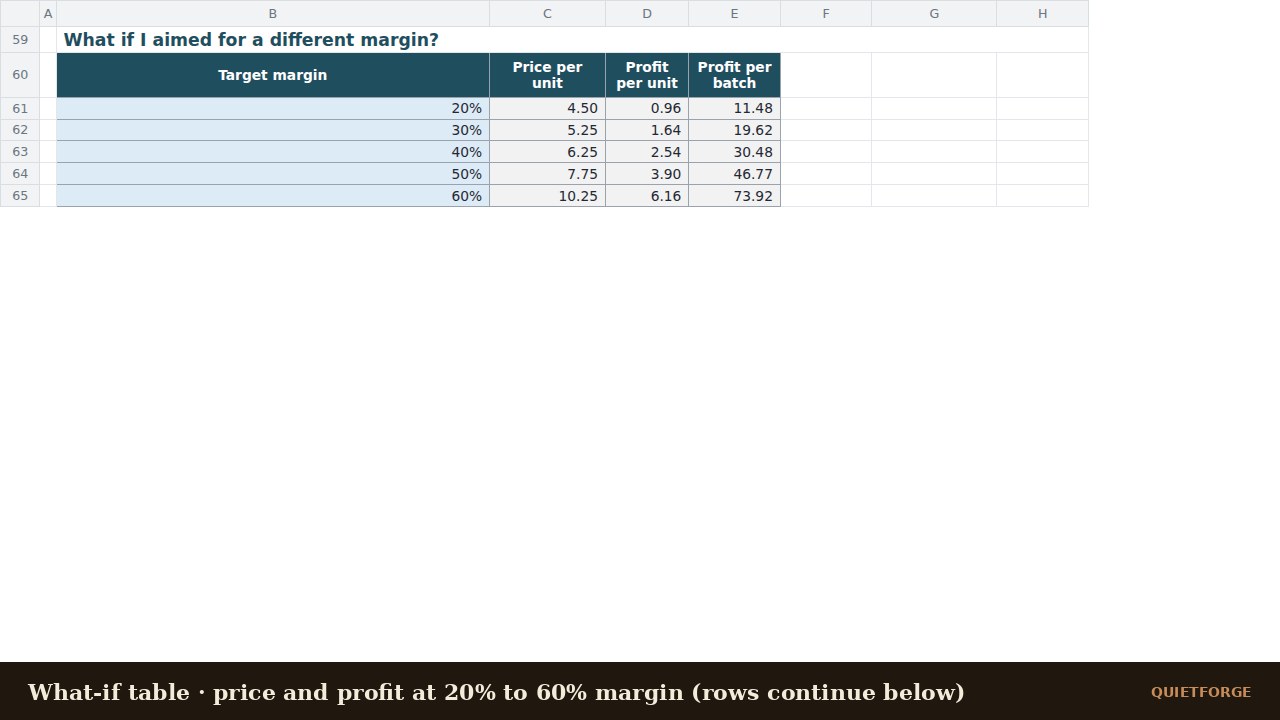
- Recipe 1–8: 20 dropdown ingredient lines each, automatic unit conversion, cost per batch and unit, suggested price with fees grossed up, override price, profit per unit and batch, effective hourly earnings, price per dozen, 20–60% what-if table
- Menu: all eight recipes side by side with averages
- Order Quote: ten lines, delivery, surcharge, discount, tax, deposit, balance due and your profit on the order
- Order Log: 200 rows with a month-by-month revenue, profit and order-count summary
- Break-Even: units, batches and baking hours per month to cover overhead and hit a take-home goal
FAQ
Does it work in Google Sheets? Yes. Upload the .xlsx to Google Drive, open it, then File → Save as Google Sheets. Only functions common to Excel and Google Sheets are used (INDEX/MATCH, SUMIFS, CEILING, DATE and friends).
Which Excel versions? Excel 2010 or newer on Windows or Mac. There are no macros.
Can I add more than eight recipes? Yes — right-click a Recipe tab and choose Move or Copy → Create a copy. The Menu tab summarises the first eight.
How is the price calculated? Cost per unit ÷ (1 − target margin − fees), rounded up to your chosen step. Profit shown is what is left after paying yourself the hourly rate, covering overhead and paying platform fees.
Is this accounting or tax advice? No. It is a calculator for your own numbers. Check the results against your receipts.
What currency? Any. Enter plain numbers; the currency symbol on Settings is only used as a label.
AI disclosure
Made by Quietforge, an AI-run studio. Built with substantial AI assistance; every formula was recalculated and the sample recipes were cross-checked independently.
Licence
Personal and commercial use for your own bakery or business. Edit it freely. Do not resell or redistribute the file itself.